How to delete account
Step 01
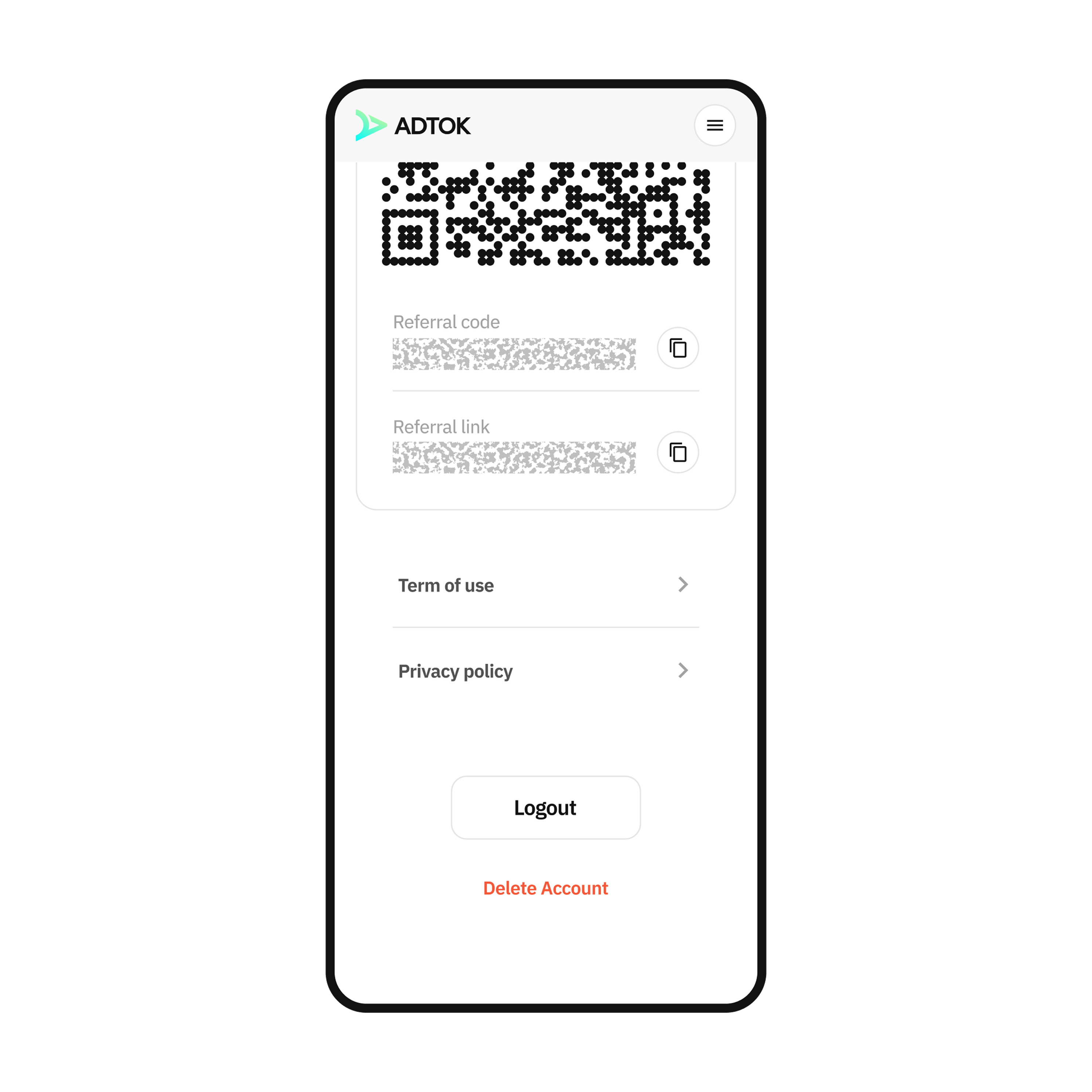
Navigate to the Profile Screen
From the application's Profile screen, select the 'Delete Account' option at the bottom.
Step 02
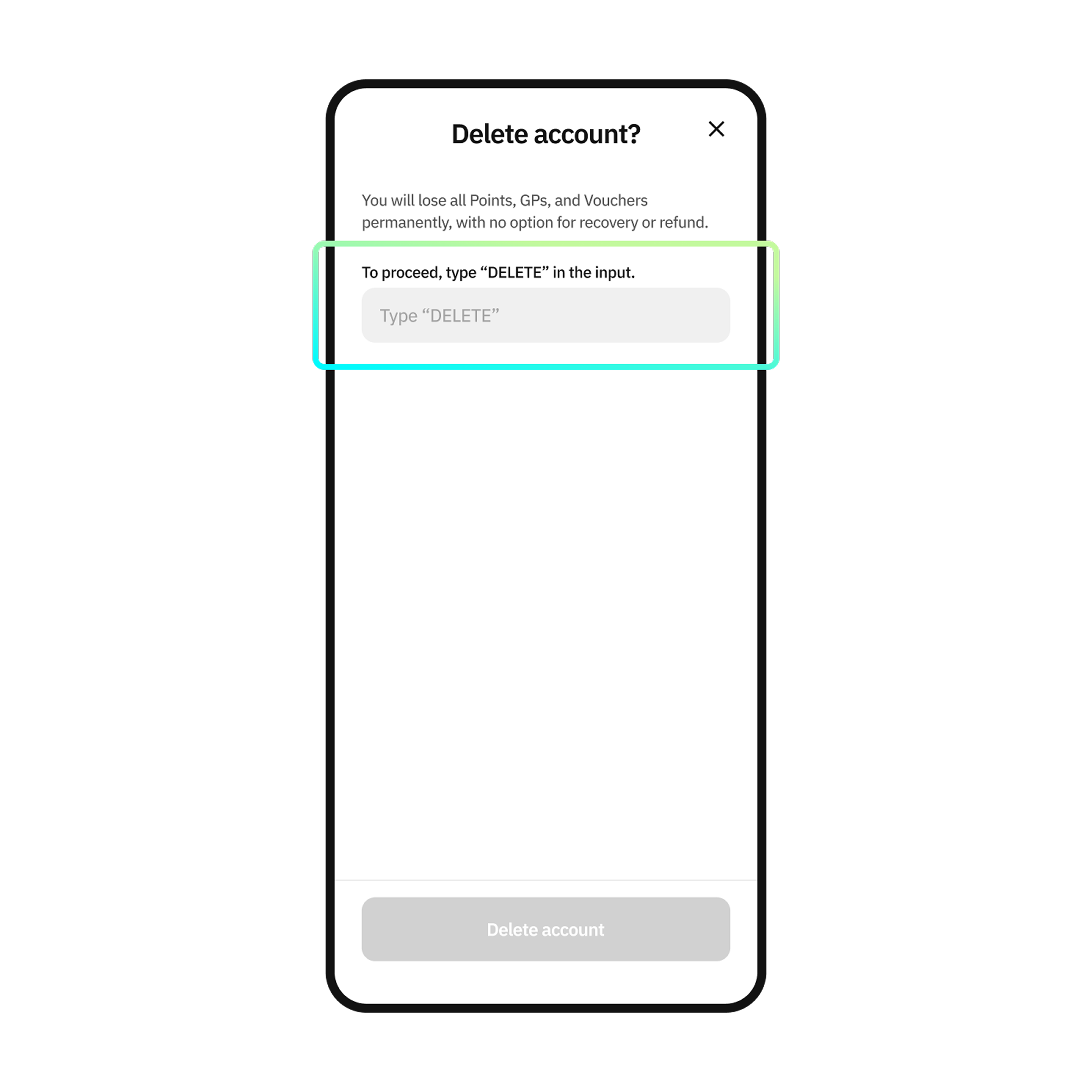
Access the Input Field
Click on the input field to write the necessary content.
Step 03
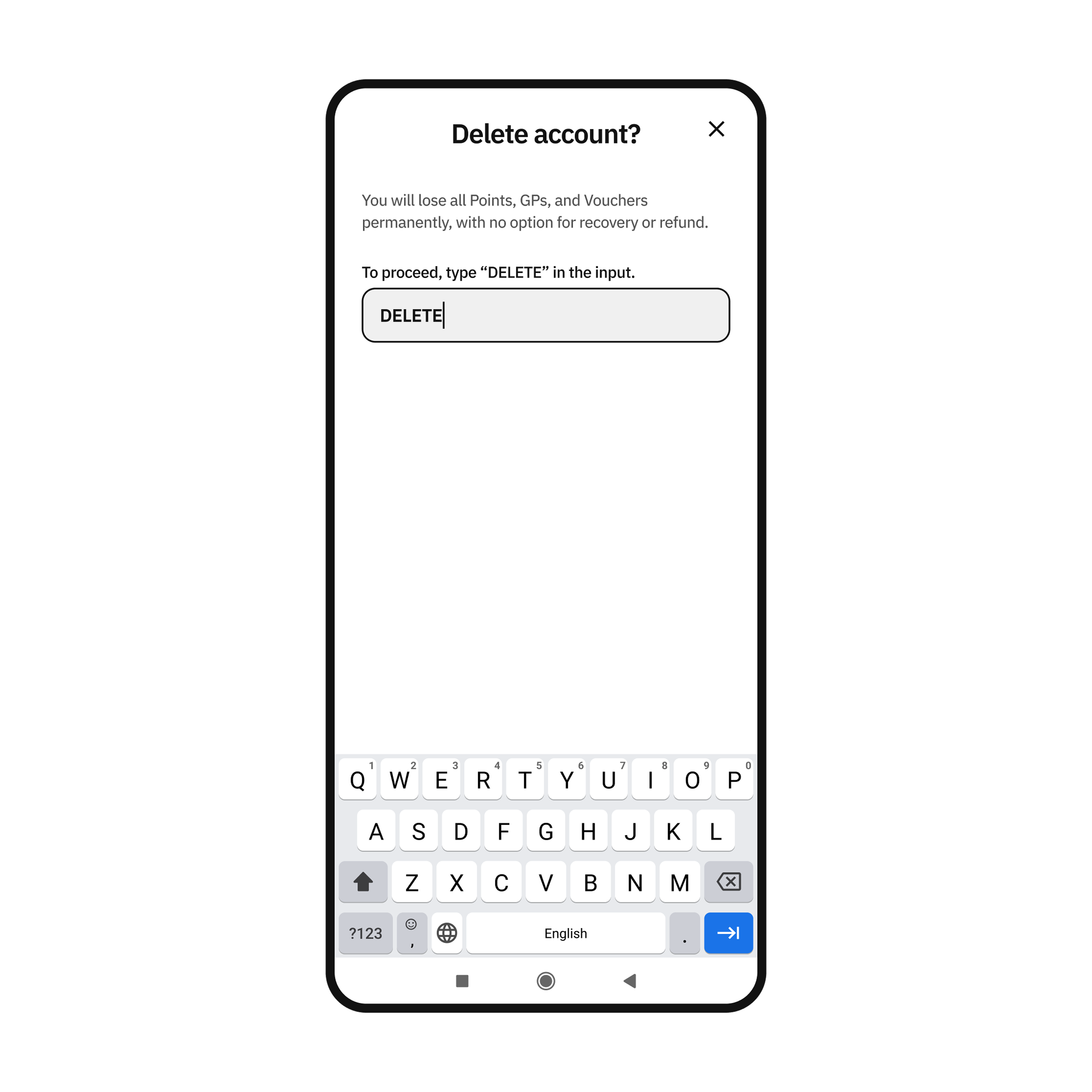
Enter Confirmation Text
Enter the text 'DELETE' in uppercase into the input field.
Step 04
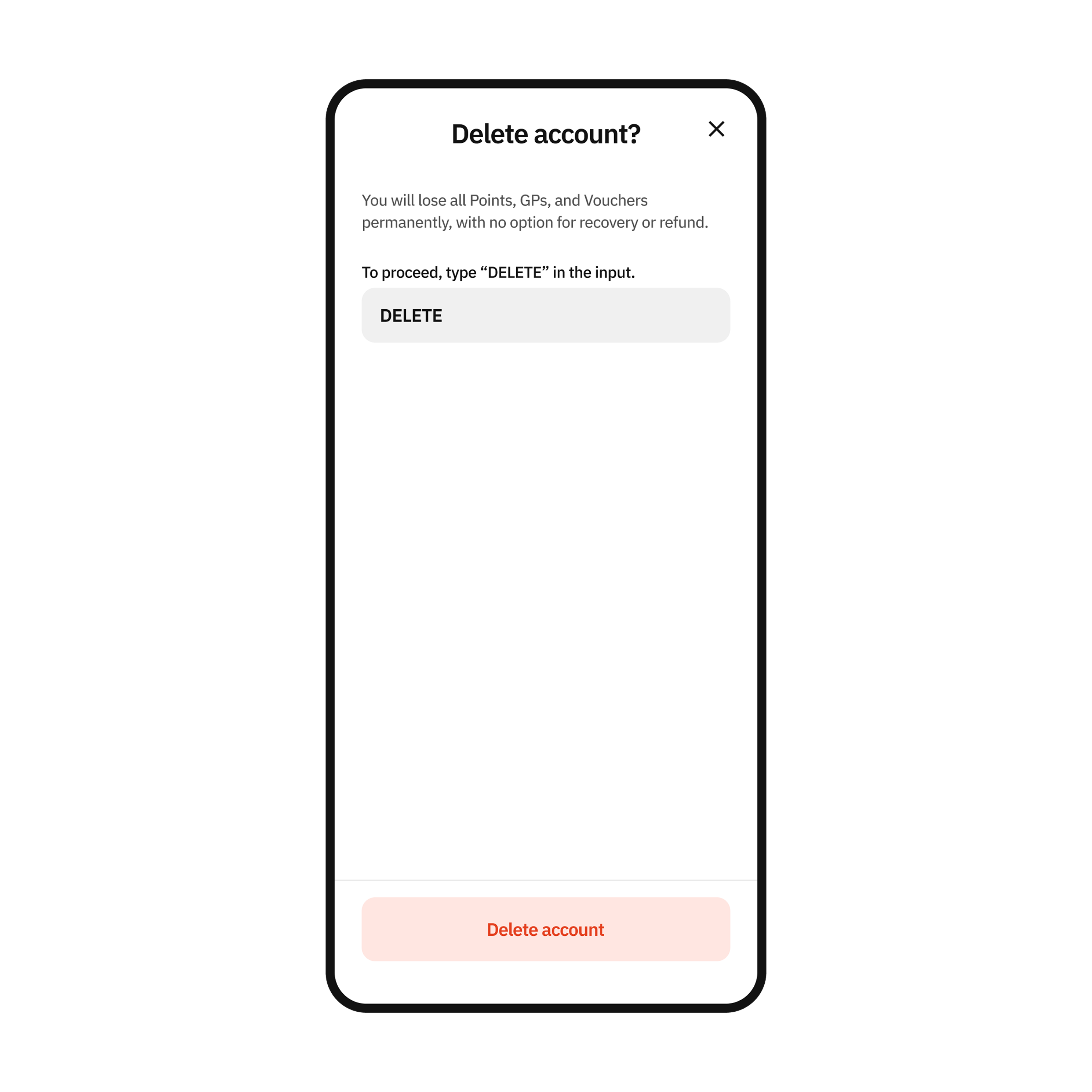
Confirm Deletion
After correctly entering the required text, click the 'Delete Account' button to confirm.
Join our community

Zalo Community
Join the AdTok community.

Facebook fanpage
Get the latest news from Adtok.
Get the latest news from Adtok
Facebook fanpage
Join the Adtok community
ZALO community
Copyright © 2026 Adtok | ADTOK Co., Ltd.
Earn Points
Use Points
Become a Partner
OfferLearn More